
What this zombie AI trend generator makes
The zombie AI trend took over TikTok, Instagram Reels and YouTube Shorts in late September 2026. Most people make it by prompting a general video model and joining two clips in CapCut. This page turns the whole zombie love story into one step: two photos in, a finished 15-second AI zombie video out.
| What you get | Details |
|---|---|
| Input | Two photos: Photo 1 is the survivor (you), Photo 2 is the person, dog or cat who turns. JPG, PNG or WebP up to 10 MB each. |
| Video | One 15-second film, nine shots, made in a single run. No prompt, no stitching. |
| Story | Cabin standoff → the gun drops → the zombie leaps → match cut to a golden wheat-field memory. |
| Sound | Generated with the video: breathing and a growl, then a piano swell. |
| Frame and resolution | 9:16 vertical or 16:9 wide; 480p, 720p or 1080p depending on the model. |
| Models | Seedance 2.5, Seedance 2.0, Seedance 2.0 Fast, MiniMax H3 or Seedance 2.0 Mini. |
| Price | 27–389 credits per video, shown before you generate. Failed or declined videos refund automatically. |
| Watermark | Moving watermark on videos made before a purchase; any purchase unlocks the clean original. |
What happens in the 15-second zombie love story
Every video follows the same beats as the viral zombie AI trend, timed so the emotional turn lands before the cut:
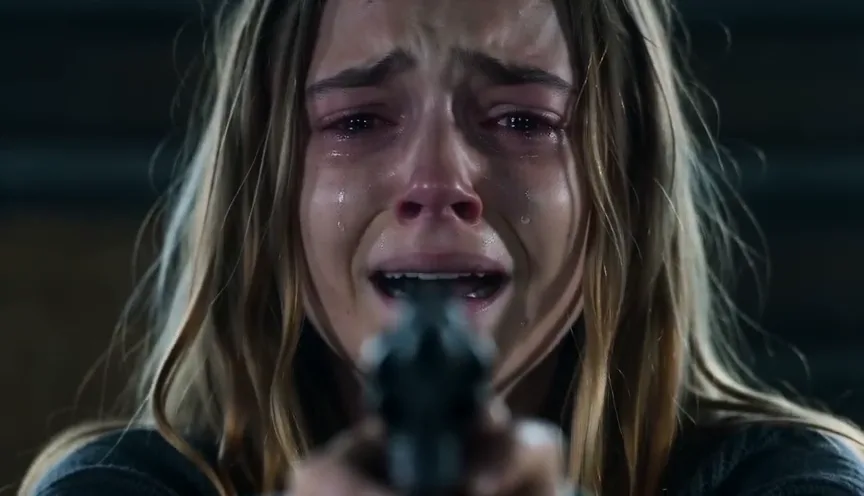
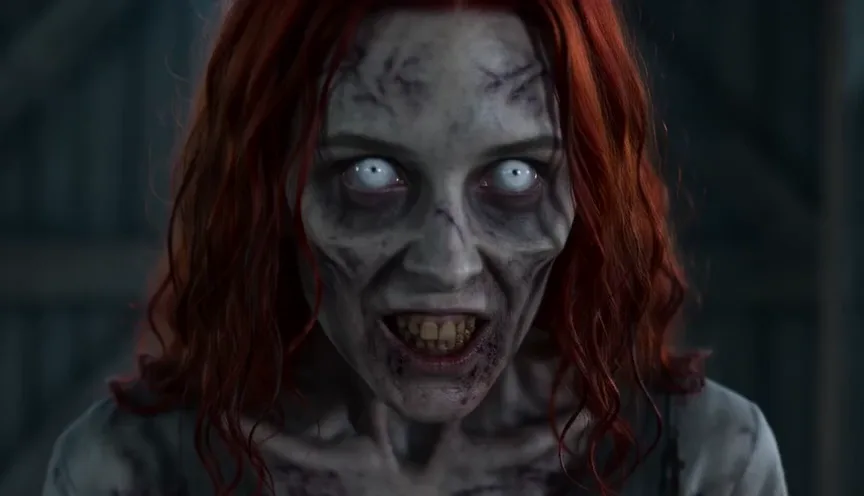
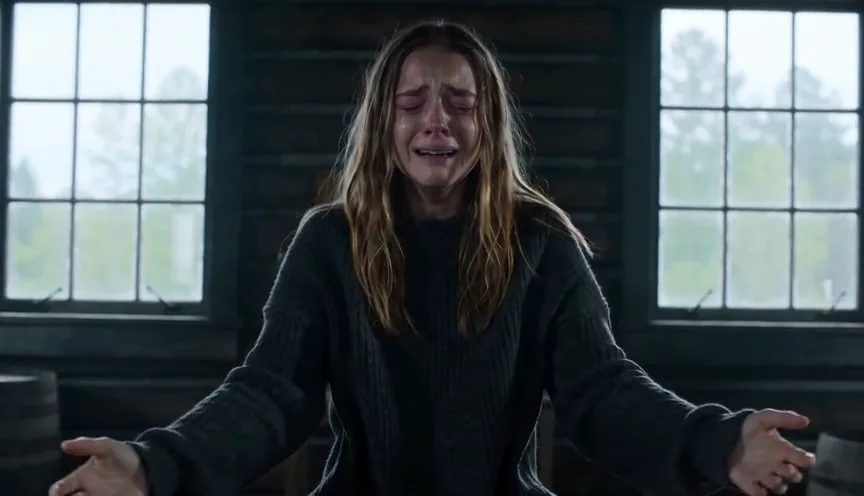
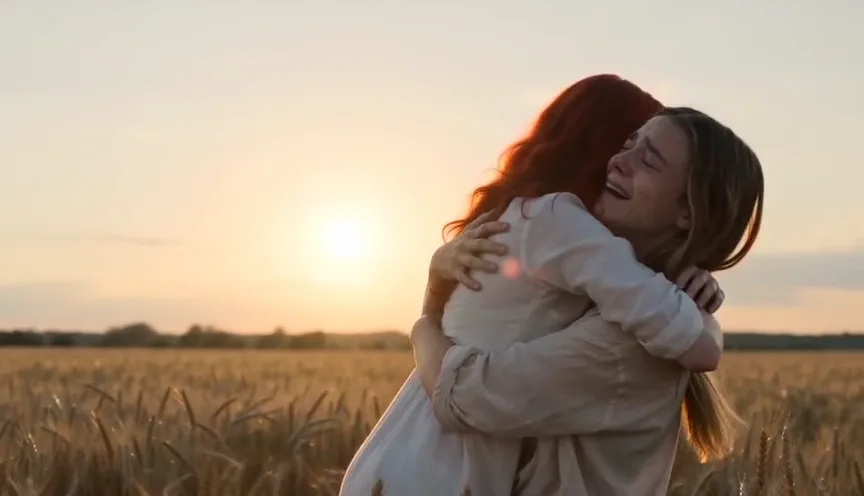
- 0–5 s, the standoff. In a dim wooden cabin, the survivor (Photo 1) points a handgun at the camera with shaking hands. Over their shoulder, the zombie (Photo 2) staggers closer: grey skin, white eyes, but the same face.
- 5–8 s, the choice. The survivor squeezes their eyes shut, lowers the gun, lets it fall and opens both arms.
- 8–9.5 s, the leap. Side-on, the zombie runs and jumps toward their chest.
- 9.5–15 s, the memory. A match cut continues the same leap in a golden wheat field at sunset: both are healthy, the hug lands, they spin, and the film closes on a smiling close-up.
There is no gore and no gunshot. Stills: the AI Zombie Video sample shown below, credited.
AI zombie trend video examples
These zombie AI videos show the range of the trend: couples, a dog, a cat and family members, in cabins, malls and sunflower fields. They come from other generators and are credited to their sources; none was made with this tool. Your video follows the cabin-to-wheat-field story described above.
Zombie AI video credits by model
Every model makes the same 15-second zombie love story; they differ in detail, how well they hold faces, and price. Seedance 2.5 gives the best quality, Seedance 2.0 Fast is the best value, and Seedance 2.0 Mini is the cheapest. Credits per video:
| Model | 480p | 720p | 1080p |
|---|---|---|---|
| Seedance 2.5 | 97 | 218 | 389 |
| Seedance 2.0 | 67 | 144 | 358 |
| Seedance 2.0 Fast | 54 | 116 | — |
| MiniMax H3 | — | 58 | 93 |
| Seedance 2.0 Mini | 27 | 58 | — |
New accounts get 5 free credits; the cheapest video is 27 credits. With Seedance 2.5 the provider checks both photos before the video starts; if it declines them, the credits come back. See credit plans for monthly subscriptions and one-time packs.
Make the zombie AI trend with your dog or cat
The pet version of the zombie trend is the same story with your pet as the one who turns: matted fur and white eyes in the cabin, then a healthy, happy pet jumping into your arms in the wheat field. Choose Pet in the generator.
- Use a photo where your pet's face, coat colour and markings are clear. A whole-body shot helps the model keep the breed and size.
- One animal per photo, no people in the pet photo.
- Your own photo is still Photo 1: you are the survivor in both versions.
- Cats and small dogs work; very fluffy coats can soften in the zombie shots.
Zombie AI trend prompt (DIY version)
You do not need a prompt here. If you want to try the zombie AI trend in another video tool that accepts two reference images (Seedance, Kling, Google Flow and similar), this prompt is a good start. Results from other tools vary, and some reject prompts that mention a weapon; swap “handgun” for “baseball bat” if yours does.
A cinematic, photoreal 15-second zombie love story, vertical 9:16. Image 1 is the survivor; Image 2 is their loved one who has turned into a zombie. Keep both faces recognizable in every shot and keep the survivor fully human with clean skin.
0–3 s: In a dim wooden cabin, the survivor aims a handgun toward the camera, crying, hands trembling.
3–5 s: The zombie from Image 2 staggers closer: grey skin, cloudy white eyes, torn clothes, same face. No blood or gore.
5–8 s: The survivor shuts their eyes, lowers the gun, drops it and opens both arms.
8–9.5 s: Side-on wide shot: the zombie runs and leaps toward the survivor's chest.
9.5–15 s: Match cut that continues the same leap into a golden wheat field at sunset; both are healthy, the hug lands, they spin in slow motion, then a smiling close-up.
Sound: breathing and a low growl in the cabin, then a soft piano swell. No dialogue, no text on screen.
For a dog or cat, describe Image 2 as the pet, keep its breed, coat and markings, and write “exactly one person and one animal”.
Three things fix most broken zombie trend videos: describe the survivor's skin as clean (or both people turn into zombies), say where each character stands for the leap, and write the cut to the memory as a match cut of the same jump.
Keep your partner's face recognizable
The point of the zombie AI trend is that you still recognize them. The best results start with good photos:
- Front-facing or slightly turned, sharp, in even light. Avoid sunglasses, masks, heavy filters and hands over the face.
- One person per photo; crop out others before uploading.
- Different photos for the two roles. Two very similar photos can blend identities.
- Seedance 2.5 usually holds faces most closely; Mini is the cheapest way to test your photos first.
AI video can still change small details between shots, and no model guarantees an identical face in every frame. Watch the whole video before you post it.
What song is used in the zombie AI trend?
There is no single official track. Many TikTok posts of the zombie trend use an untitled original sound (shown as “Originalton”), and other versions use slow piano or string music. Videos made here include their own generated sound with no lyrics or dialogue, which suits the story as it is. To use a trending sound instead, add it in TikTok, Instagram or CapCut when you post; a video purchase here does not include music rights.
Post it to TikTok, Reels or Shorts
Pick 9:16 before generating for TikTok, Instagram Reels and YouTube Shorts, or 16:9 for the widescreen look of the original posts. Download the MP4 and upload it directly; there is nothing to edit. Label it as AI-generated where the platform asks, and tag the people in it only if they agreed.
An independent zombie AI video generator
Genjutsu AI is an independent AI video site. It is not affiliated with Higgsfield, CapCut, TikTok or the generators whose samples are shown above. Only use photos of yourself, your own pets, or adults who agreed to appear; videos of minors, sexual content and impersonation are not allowed. For editing an existing clip instead, such as putting yourself into a dance trend, try motion transfer or the Genjutsu editor.
Last updated: 2026-10-09