
Meet the two roles in your studio video
The Alors on Danse meme turns a small performance into a duet: one person works the keyboard while the other gestures, reacts and moves toward the camera. The editor starts with the community studio remake shown here. The original studio, props and performance guide your edit.
The selected reference · 30 seconds · 9:16. Based on the community remake by
@barriai
. This is source footage for the edit, not a result generated here.
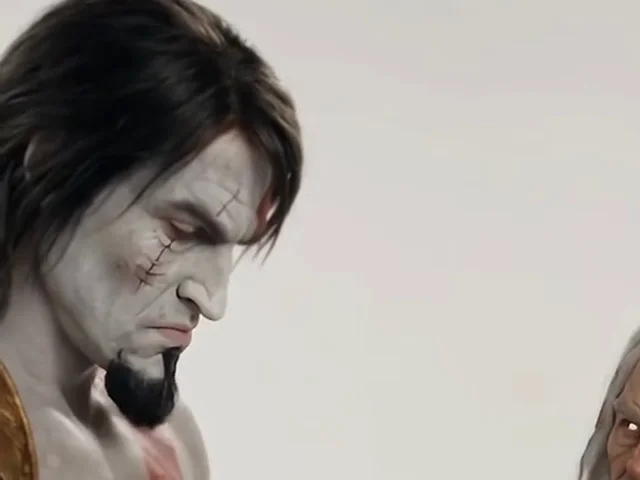
The performer on the viewer’s left, at the keyboard and laptop. Add the photo for this role first.
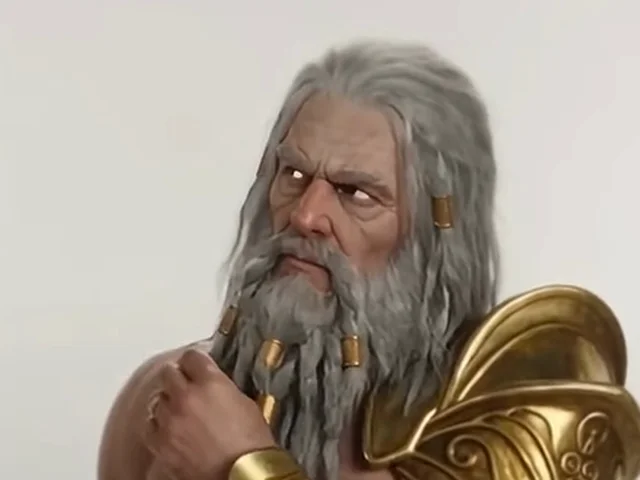
The performer on the viewer’s right, who gestures and leans toward the lens. Add this person second.
The role assignments follow the original performers through the cuts. To reverse your duo, remove the photos and add them in the opposite order. With one photo, only the first role changes.
Alors on Danse AI video examples from the community
These remakes show why the Alors on Danse AI video trend works: the cast changes, but the familiar studio routine makes the joke readable. Play a clip to compare its staging and timing. These are credited community examples, not videos generated with this tool or guarantees of a particular character’s likeness.
What your Alors on Danse AI video changes
Character mode uses your photos for each person’s face, hair, body and clothing. The white backdrop, table, keyboard, camera reactions and shot timing come from the selected reference. This makes an Alors on Danse AI meme recognizable without asking you to film the routine or describe every gesture.
The edit generates new frames, so it can reinterpret details. Seedance 2.5 edits the selected source cut directly. The other models use it as a motion reference and can change the framing or performance more. For a different two-person scene, explore duo swap; for a solo performance, try motion transfer.
Choose photos for a clearer Alors on Danse AI video
Use a separate photo of each person. A visible face, clear lighting and an unobstructed upper body give the model useful details for the studio’s medium shots and close-up. If the outfit matters, include it in the photo; a tightly cropped face gives much less guidance about clothing.
- Keep sunglasses, hands and heavy shadows away from the face where possible.
- Use different, recognizable photos for the two roles. A group photo makes assignment harder.
- Keep Image 1 for the keyboard/DJ role in the Alors on Danse meme and Image 2 for the reaction.
- Additional photos, up to 9 in total, can supply angles or appearance details. They do not add extra performers to the duo.
The editor accepts JPG, PNG and WebP files up to 10 MB each. An instruction is optional for the built-in template. If you want a specific adjustment, keep it brief; the prompt guide explains how to refer to your images.
Pick the moment and length of your studio meme
Your Alors on Danse AI video can cover a short keyboard moment, a reaction or the full source performance. Move the window over the reference before generating. A shorter test helps you check the cast before spending credits on a longer version.
| Choice | What it does here |
|---|---|
| Seedance 2.5 | Edits the selected cut directly, from 5 to 30 seconds. Offers 480p, 720p and 1080p. |
| Seedance 2.0, Fast and Mini | Use the cut as a motion reference, up to 15 seconds. Fast and Mini offer 480p/720p; Seedance 2.0 also offers 1080p. |
| MiniMax H3 | Uses the cut as a reference, up to 15 seconds, with 720p or 1080p delivery. |
| Output shape | This studio template is vertical 9:16. The editor keeps the source shape; it has no landscape toggle for this preset. |
How much does an Alors on Danse AI video cost?
Credits depend on the model, resolution and duration. Replacing both performers costs the same as replacing one at the same settings. At 720p, a 10-second Alors on Danse AI video costs 175 credits with Seedance 2.5 or 19 with Mini. The table uses the same pricing function as the generator.
| Model · resolution | 5s | 10s | 15s | 30s |
|---|---|---|---|---|
| Seedance 2.5 · 720p | 88 | 175 | 262 | 523 |
| Seedance 2.0 · 720p | 58 | 116 | 174 | — |
| MiniMax H3 · 720p | 39 | 77 | 116 | — |
| Seedance 2.0 Fast · 720p | 35 | 69 | 104 | — |
| Seedance 2.0 Mini · 720p | 10 | 19 | 28 | — |
All figures above are credits at 720p; a dash means that model does not support the length. Change the model, resolution or window in the editor to see your exact quote. Failed jobs refund their credits automatically. See credit plans for monthly subscriptions and one-time packs.
Keep the beat in your Alors on Danse AI video
The finished MP4 includes the matching audio section from the built-in clip. If you select a later window, the sound follows that same section. The system generates the visual edit and then restores the reference audio, so you do not need to rebuild the timing in a second editor.
Download your Alors on Danse meme video and check both picture and sound before sharing. The vertical frame suits TikTok, Reels and Shorts. A generation purchase covers the tool’s work; it does not grant a license to the song or to a depicted character. Use the platform’s permitted music options for your intended post.
The broader Alors on Danse TikTok trend also includes live dance challenges and slowed-song edits. This page focuses on the white-studio AI remake associated with Stromae’s “Alors on danse.” It is an independent AI dance video generator and is not affiliated with Stromae, the music’s rightsholders or TikTok.
Check the close-up, then share
For a convincing Alors on Danse AI video, review the moments where errors are easiest to spot: hands touching the keyboard, a head turning away and the performer approaching the camera. Watch each person separately, then check that their identities stay distinct when they move together.
If a face or outfit drifts, try a clearer photo or a shorter window. Major changes in body proportions can alter how the movement reads. The editor gives you a reference-led starting point; it cannot promise identical faces, perfect hands or the same output on every attempt.
Last updated: 2026-10-08