
Meet your Rumpelstiltskin AI cast
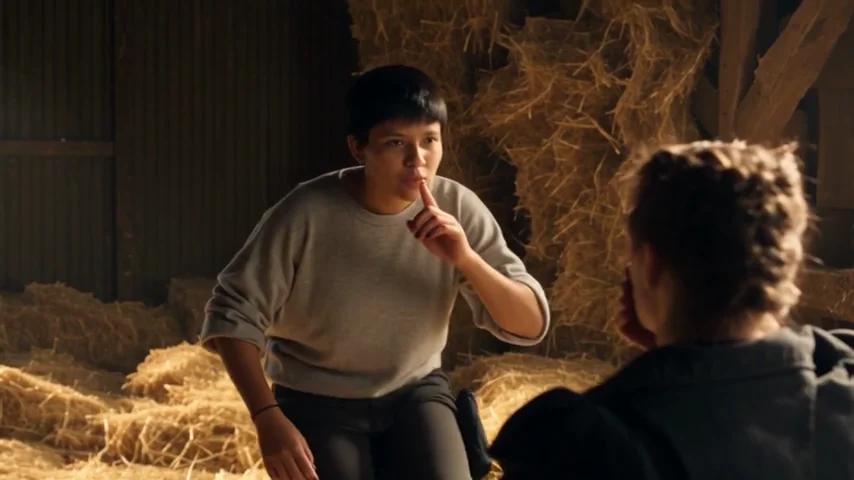
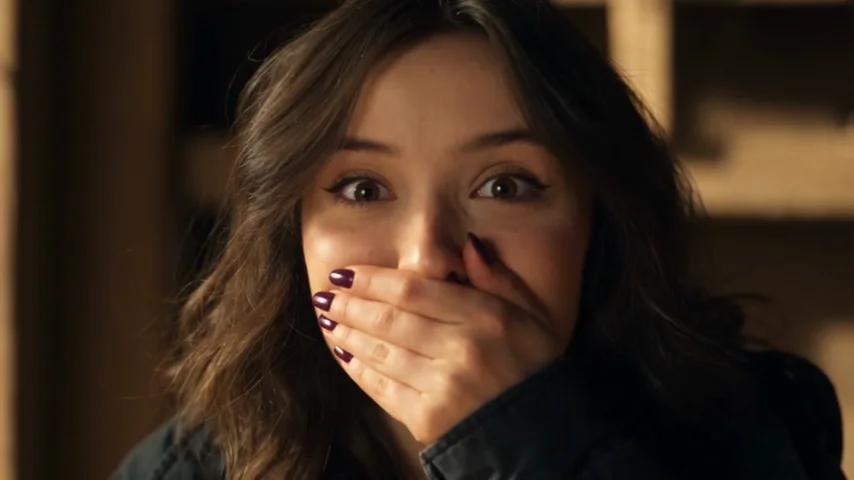
The joke needs a performer and a witness. Your first photo takes the shush, the sideways steps and the proud grin. Your second photo takes the reaction: watching from the foreground, covering their mouth and looking toward the dancer. Rumpelstiltskin AI follows those roles across the cuts, so image order matters more than where someone happens to stand in one frame.
The selected 12-second barn reference, adapted from the public sample on
APT Video AI
. This is source footage for the edit, not a result generated with this tool.
Pick the moment for your Rumpelstiltskin AI video
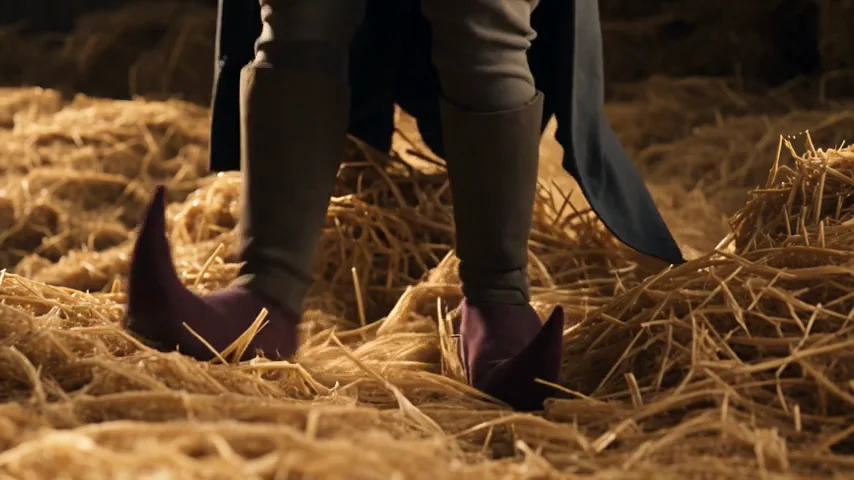
The shush sets up the secret, the onlooker gives it a reaction and the curled shoes deliver the exit. Preview the full Rumpelstiltskin AI reference before shortening it. A cut that includes the setup and a reaction can tell a clearer joke than footwork on its own.
| Moment | Role | What to check in your cut |
|---|---|---|
| The shush and grin | Image 1 · Dancer | Leave enough of the gesture for the secret to read. |
| The reaction close-up | Image 2 · Onlooker | Keep the face visible and the reaction connected to the dance. |
| The tiptoe and curled shoes | Image 1 · Dancer | Watch the foot contact, shoe shape and end of the movement. |
Choose any whole-second length from 5 to 12 seconds and move the start slider to preview that exact window. To transfer a different dance or camera move, open Genjutsu motion transfer with your own source clip.
What changes in your Rumpelstiltskin AI video?
In Character mode, your photos guide the faces, hair, body proportions and clothing. The barn, straw, camera framing, cuts and dance timing come from the reference. The instruction also asks the model to retain the dancer's pointed, curled shoes. You can add a short instruction, but the built-in cast mapping works without one.
Seedance 2.5 edits the selected footage directly. Seedance 2.0, Fast, Mini and MiniMax H3 use it as a reference and may reinterpret more of the scene. Every option generates new frames: Rumpelstiltskin AI cannot promise identical faces, perfect fingers or frame-for-frame choreography. Start with a shorter cut to see how your cast fits the movement.
Plan the look of your Rumpelstiltskin AI video
The reference supplies the action; your photos supply the cast. A mischievous expression, a recognizable hairstyle and an outfit with a clear silhouette can help the Rumpelstiltskin AI video read at a glance. Choose photos that already show the look you want, then let the barn, straw and exaggerated footwork carry the fairy-tale mood.
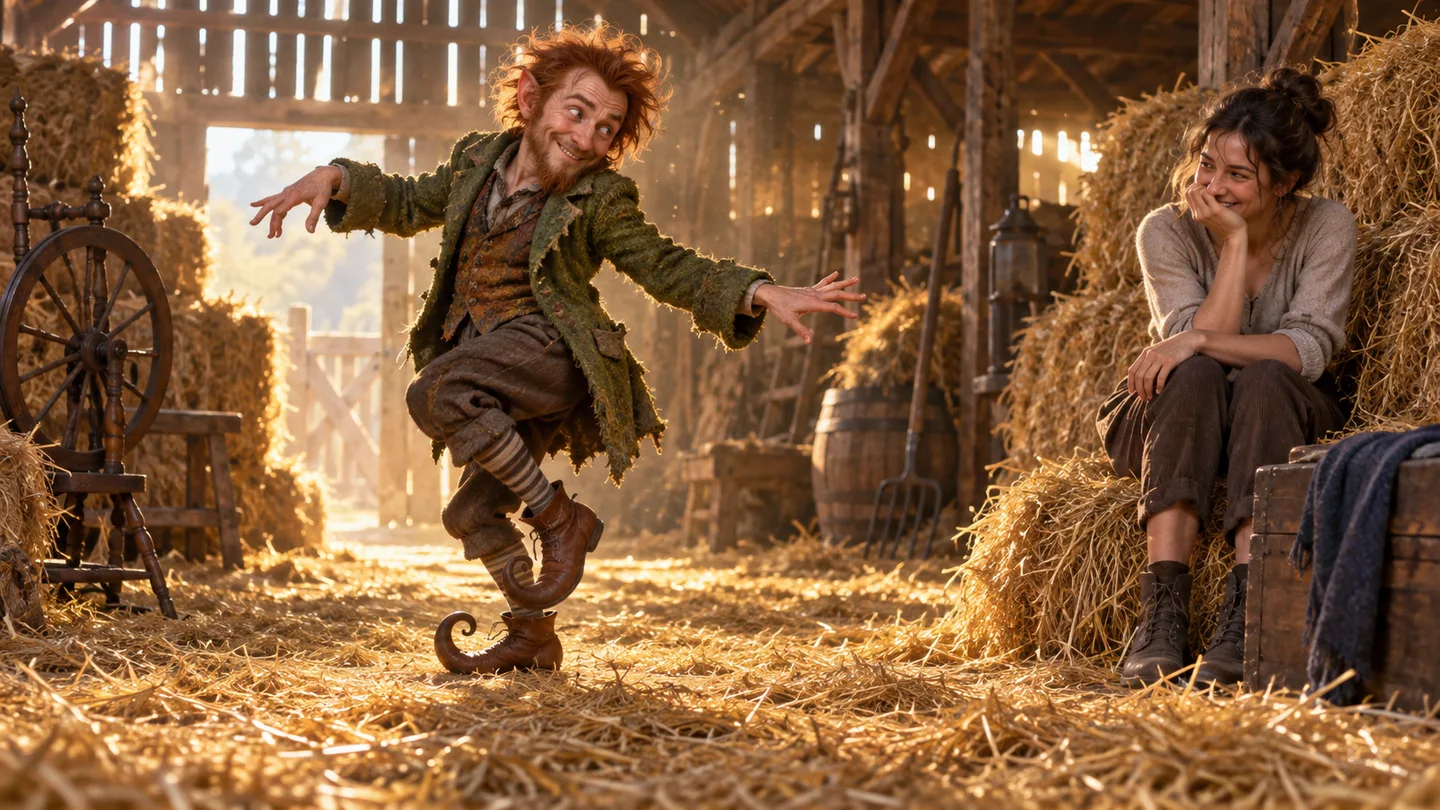
Original concept illustration made with ImageGen for this guide. It illustrates the scene's mood; it is not a generated video frame or a promised result.
For a recognizable Rumpelstiltskin AI cast, use one person per photo. With two different people, put the performer in Image 1 and the reacting friend in Image 2. To play both roles yourself, add your photo in both positions. An image of several people leaves the model more room to choose the wrong lead.
Start in Character mode to replace the cast. If the faces are already right and you want only a different outfit, select Outfit and provide clothing references instead. Keep your instruction focused on the change you want. The Genjutsu prompt guide explains how to describe a specific edit without conflicting with the selected mode.
Photos that help the Rumpelstiltskin tiptoe dance
Use a separate, evenly lit photo for each person. A visible face and some upper body give the model useful information for both the wide dance shot and the reaction close-ups. The photo's hairstyle and outfit guide the replacement, so choose the look you want to see moving through the barn.
- Put the most expressive photo in Image 1; that person carries the performance.
- Add the observer as Image 2. With only Image 1, the original observer stays.
- Avoid covered faces, very small subjects and group photos with several possible leads.
- Upload JPG, PNG or WebP, up to 10 MB per photo. Confirm you have permission to use the people and images.
If identities blend, try clearer individual photos and a shorter window. For another two-person scene with the same controls, try Genjutsu duo swap or the Alors on Danse studio video.
Rumpelstiltskin AI credits before you generate
A Rumpelstiltskin AI video uses the same credits as the main editor. Cost depends on model, resolution and selected length. Changing both characters costs the same as changing one at the same video settings.
This table shows video credits at 720p for the barn template. It reads the same price function as the editor and server:
| Model · resolution | 5s | 10s | 12s |
|---|---|---|---|
| Seedance 2.5 · 720p | 88 | 175 | 210 |
| Seedance 2.0 · 720p | 58 | 116 | 139 |
| MiniMax H3 · 720p | 39 | 77 | 93 |
| Seedance 2.0 Fast · 720p | 35 | 69 | 83 |
| Seedance 2.0 Mini · 720p | 10 | 19 | 23 |
The lowest video setting is 5 credits for 5 seconds with Seedance 2.0 Mini at 480p. Review your exact quote above before starting. A failed or rejected generation returns its credits automatically. See plans and credit packs to choose a payment option.
Why the Rumpelstiltskin AI meme looks familiar
The Rumpelstiltskin meme borrows the look of an old fairy-tale film: hay bales, theatrical expressions and absurd shoes. The tiptoe routine then becomes a reaction to everyday sneaking or a tiny victory. That combination explains why a “Rumpelstiltskin tip toe dance” can work with a caption about leaving work or finding the last snack.
The circulating clip is described as AI-generated by meme.com and Know Your Meme. Reposts sometimes attach an old movie title, but that does not establish a film source. We use an attributed remake as the motion reference rather than claiming it is footage from a specific movie.
The soundtrack association is Riff Raff's “Tip Toe Wing In My Jawwdinz,” also named in the artist's public post. The editor restores the matching section of the reference audio after generation. A tool purchase does not grant rights to a song; choose music permitted for your intended post.
Make the Rumpelstiltskin AI meme your own
Keep the caption short enough for the gesture to finish the joke. A Rumpelstiltskin AI video already supplies the grin, the secret and the exaggerated exit. These original caption ideas give it a situation:
- “Me retrieving the snack I hid from myself.”
- “When the meeting ends before my camera turns on.”
- “My confidence after fixing one typo.”
- “Leaving one unread email for tomorrow's version of me.”
Watch the final Rumpelstiltskin AI result before sharing. Check the shushing hand, each person's reaction shots, foot contact with the straw and the sound at the cut. Use the prompt guide for a specific change, or return to the main editor for a different source video.
Last updated: 2026-10-08