
Higgsfield Genjutsu Alternative: Change Any Clip, Keep the Motion
Looking for a Higgsfield Genjutsu alternative? Swap the character, outfit, product, background or style in a 5–30 s clip with Seedance 2.5. Credits listed.
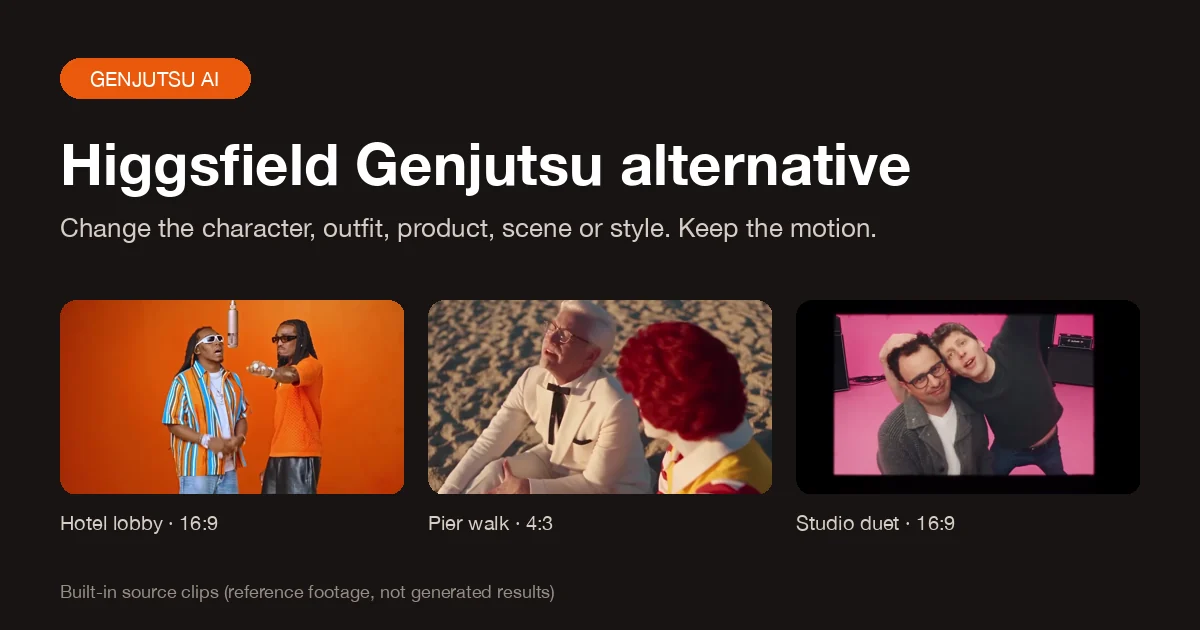
The closest Higgsfield Genjutsu alternative on Genjutsu AI is the Genjutsu AI video editor: upload a clip (or pick a built-in one), choose a 5, 10, 15 or 30-second window, add up to nine reference images, and replace the character, outfit, product or background, or restyle the whole shot, while the original motion, camera move and timing stay in place. It runs Seedance 2.5 video editing, plus Seedance 2.0 (standard, Fast and Mini) and MiniMax H3, shows the exact credit cost before you generate, and returns the credits if a job fails.
This is an independent tool. It is not affiliated with, endorsed by or operated by Higgsfield, and it does not use Higgsfield's accounts, credits or presets. "Genjutsu" here describes the kind of edit people search for. Facts about Higgsfield below come from its public Genjutsu page and were checked on October 6, 2026; check Higgsfield's site for its current terms.
Jump to: What Genjutsu does · Why look for an alternative · Mode mapping · Comparison · How to use it · Credits · Use cases · Other options · FAQ
What Higgsfield Genjutsu does
Higgsfield Genjutsu is a video-to-video editor inside the Higgsfield suite. You start from footage that already works and change what is in it instead of generating a new scene from a text prompt. Its public page describes two jobs:
- Motion Transfer keeps the motion, camera and timing of the source and rebuilds the scene from your references.
- Object Swap changes a selected character, outfit, product, location or object and keeps the rest of the original shot.
Higgsfield states that reference videos can run 4 to 30 seconds, that you can add up to 30 reference images, that each run uses standard Higgsfield credits shown before you generate, and that results can be published under its Terms of Use. That is the bar any Higgsfield Genjutsu alternative has to meet: keep the performance, change one thing, and be clear about the price.
Why people look for a Higgsfield Genjutsu alternative
Genjutsu is a strong tool, and if you already pay for the Higgsfield catalogue it may be all you need. The reasons people search for a Higgsfield Genjutsu alternative are practical, and they repeat across Reddit threads, YouTube comments and review articles:
- Credits run out quickly. Video-to-video edits are expensive everywhere, and retries cost the same as first attempts. Reviewers describe Genjutsu credits as adding up fast, especially for longer clips.
- Free runs can stall or disappear. Commenters on popular Genjutsu tutorials report free-account jobs sitting in "processing" for hours and ask whether free generations were removed for new users.
- It lives inside a subscription suite. Many people only want one edit for one video, not a plan built around dozens of image and video models.
- The model is not named. On Reddit, users openly guess which model sits behind Genjutsu. Higgsfield has not said. If you want to know exactly which engine edits your clip, that matters.
A useful Higgsfield Genjutsu alternative answers those four points with facts: a visible price for every length and resolution, refunds on failure, a named model and no plan you have to commit to before trying one edit.
A Genjutsu AI alternative with the same kinds of edits
The Genjutsu AI editor splits the work into five change types instead of two modes. Each one keeps a different part of the shot, so you pick the result you want rather than writing a prompt that hopes for it.
| If you used Higgsfield Genjutsu for… | Choose this | What you add | What stays the same |
|---|---|---|---|
| Object Swap: a new person or character | Character | 1–9 images of the new character | Motion, camera move, timing, background |
| Object Swap: wardrobe | Outfit | Images of the clothes | Face, hair, pose, movement |
| Object Swap: a product or prop | Product | Images of your product | Hands, camera move, timing, scene |
| Motion Transfer into a new location | Background | Images of the new place | People, their actions, the camera |
| Restyle (anime, 3D, clay) | Style | A described look; images optional | Subjects, composition, performance |
You write one short instruction, such as "replace the performer on the left with the character in Image 1". The wording that tells the model what to preserve is added on the server, so you only describe the change. This is also the simplest AI video object swap workflow on the site: one clip, one change, one instruction.
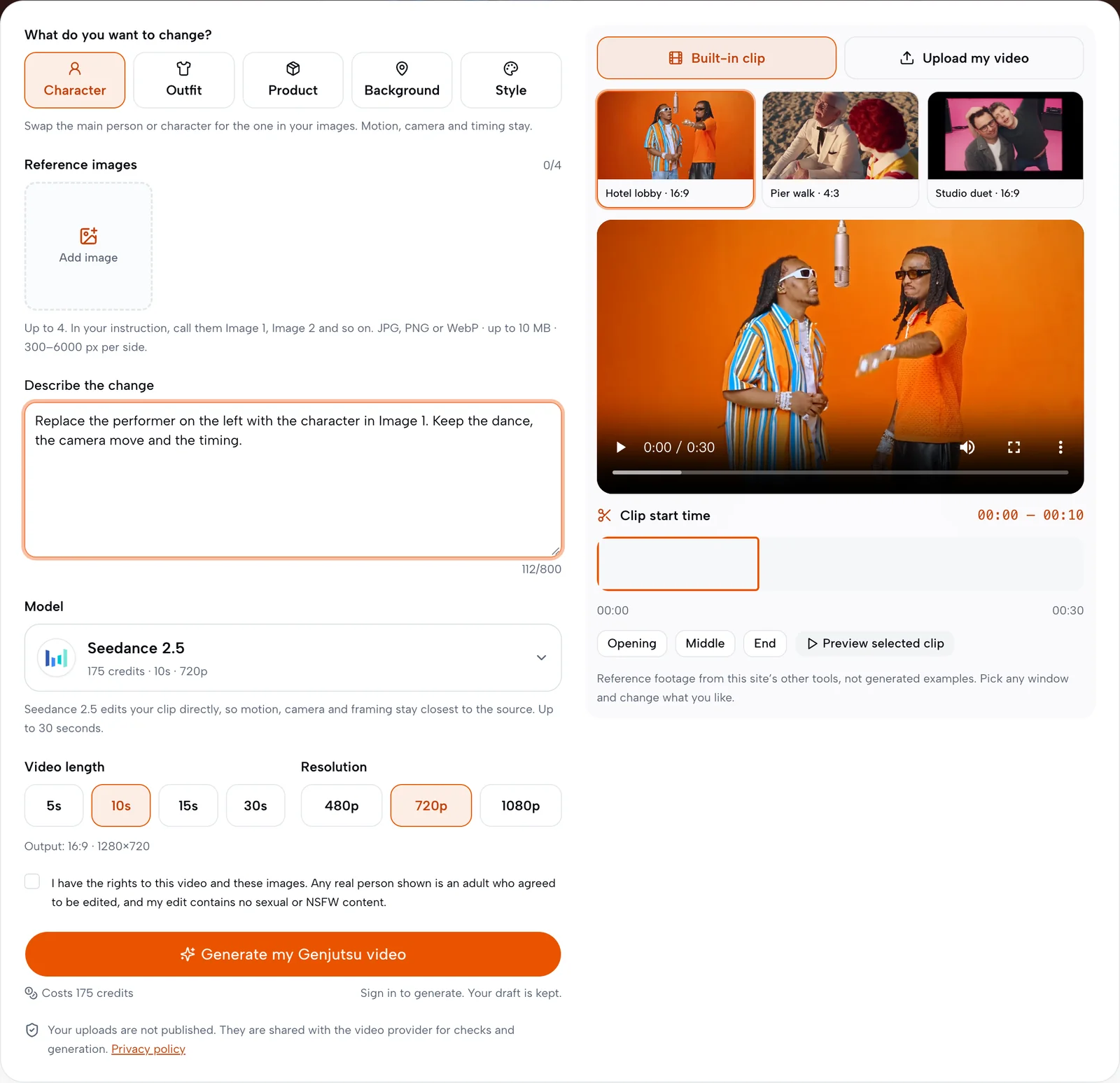
Which model? Seedance 2.5 edits the selected section itself, so motion, cuts and framing follow the source most closely, up to 30 seconds at 480p, 720p or 1080p. MiniMax H3 generates a new shot that uses your clip as a motion reference: it allows bigger changes but can loosen exact timing, and it supports up to 15 seconds at 720p or 1080p. Seedance 2.0, 2.0 Fast and 2.0 Mini work the same way as MiniMax H3 (up to 15 seconds) at lower prices; Fast and Mini stop at 720p. If you were looking for a Higgsfield Seedance 2.5 alternative, a place to run Seedance 2.5 edits without the Higgsfield suite, start with Seedance 2.5 here.
Higgsfield Genjutsu vs this alternative at a glance
| Higgsfield Genjutsu | Genjutsu AI on Genjutsu AI | |
|---|---|---|
| Where you start | Upload a reference video | Upload an MP4/MOV or pick one of 28 built-in clips |
| Source and length | Reference video of 4–30 seconds | Upload 5 seconds to 5 minutes (up to 50 MB), then choose a 5, 10, 15 or 30-second window starting at any second |
| What you can change | Character, outfit, product, location or object; restyle | Character, outfit, product, background or style |
| Reference images | Up to 30 | Up to 9, named Image 1–9 in your instruction |
| Model | Not publicly named | Seedance 2.5 (edit), or Seedance 2.0, MiniMax H3, Seedance 2.0 Fast or Mini (reference) |
| Resolution and shape | See Higgsfield's generator | 480p, 720p or 1080p; keeps the source shape snapped to 16:9, 4:3, 1:1, 3:4 or 9:16, so a vertical phone clip at 1080p comes back as 1080×1920 |
| Audio | See Higgsfield's generator | The selected section's original audio is restored on the result |
| Price visibility | Credit cost shown before you generate | Full credit table below; the exact quote is shown before you generate and checked again on submit |
| Failed or rejected jobs | See Higgsfield's terms | One charge per video; a failure or rejected material returns the credits |
| Best for | Teams already using the Higgsfield suite | One-off edits with a clear per-video price |
The honest trade-off: Higgsfield accepts many more reference images and offers presets, while this Higgsfield Genjutsu alternative accepts longer uploads, names its model, keeps vertical clips vertical and lists every price in advance.
How to use the Higgsfield Genjutsu alternative in four steps
Step 1: Pick the source and the moment
Open the Genjutsu AI editor. Use a built-in clip (duos, street and vlog, fashion, cinematic or animated scenes, filtered by category) or switch to Upload my video for an MP4 or MOV. Choose 5, 10, 15 or 30 seconds, then drag the window or use Opening, Middle and End to jump to the part you want.
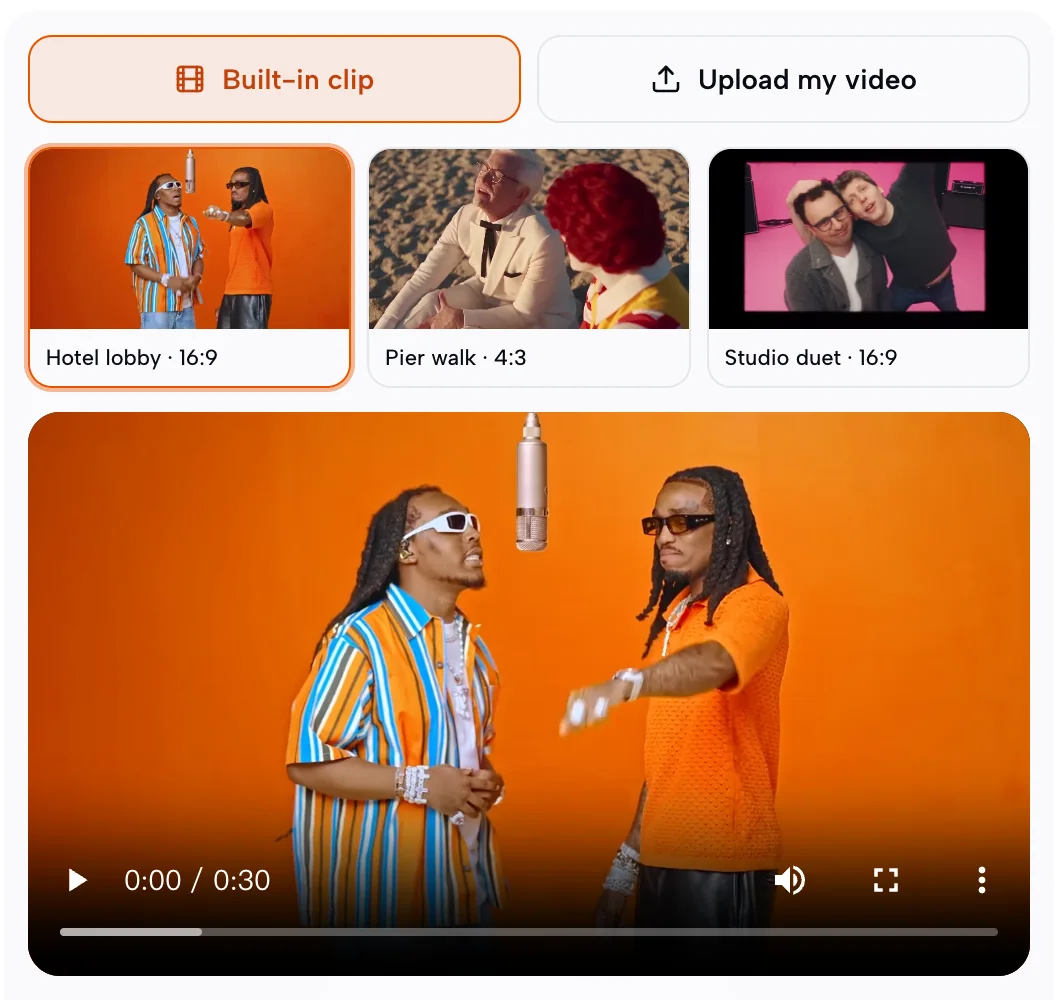
Step 2: Choose the change and add images
Under What do you want to change? select Character, Outfit, Product, Background or Style. The hint under the buttons tells you what that choice keeps. Then add up to nine reference images; Style can work from words alone.
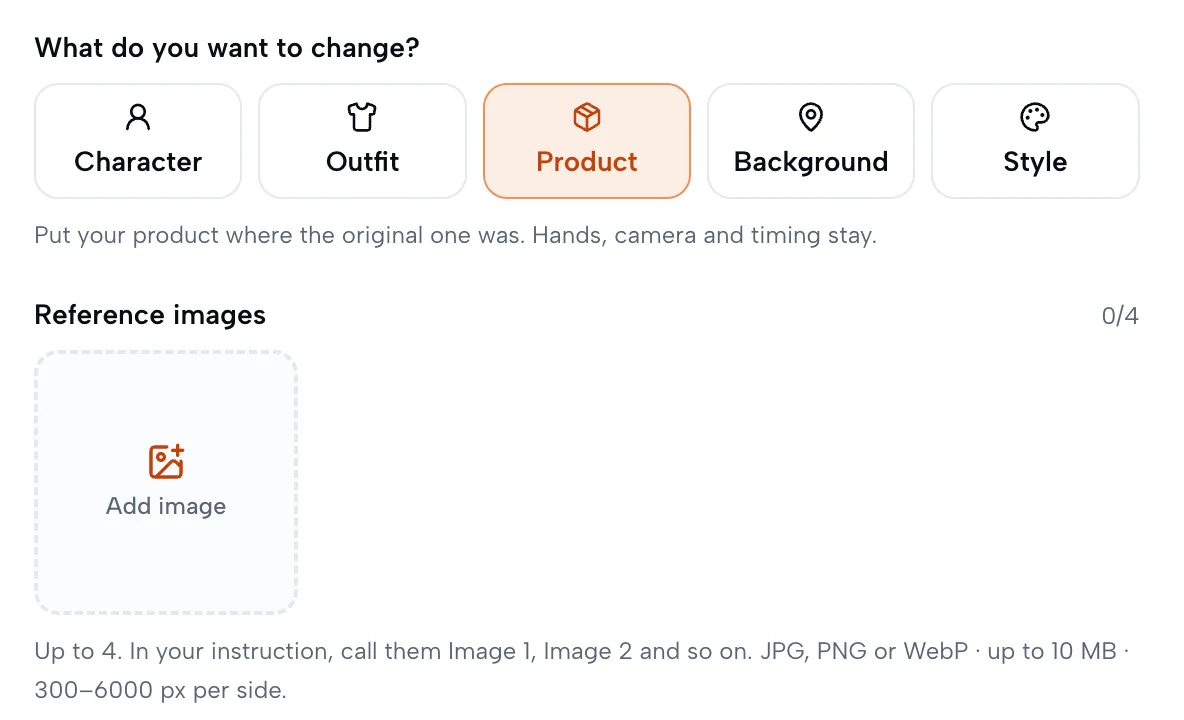
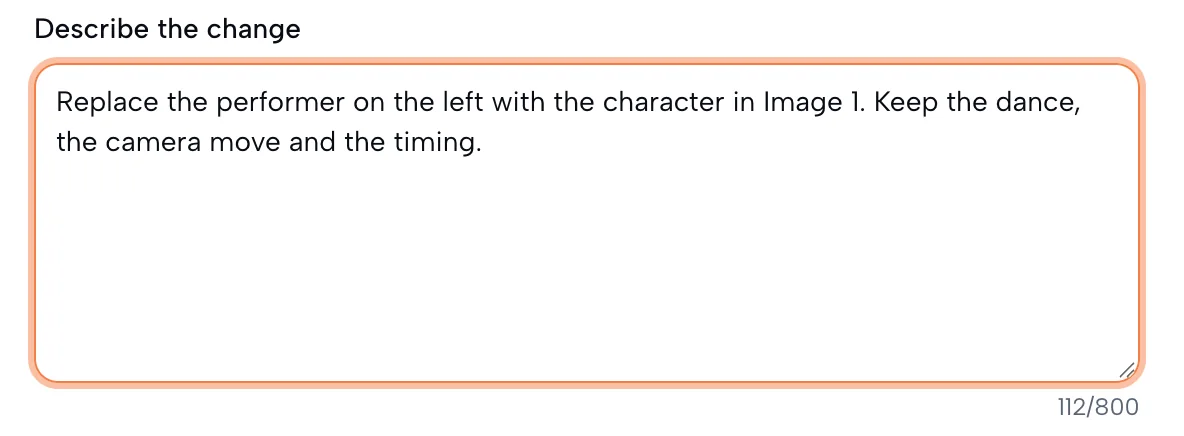
Step 3: Describe it in one sentence
Say what changes and which image to use. If several people are on screen, name the one that changes, for example "the performer on the left". You do not need to describe the motion; the editor keeps it.
Step 4: Pick a model and resolution, then generate
Choose a model (they are listed from highest to lowest cost: Seedance 2.5, Seedance 2.0, MiniMax H3, Seedance 2.0 Fast, Seedance 2.0 Mini), the length and the resolution. The credit cost appears on the model card and under the Generate my Genjutsu video button before you start. Generation can take several minutes; the task is saved, so you can leave and come back, then download the MP4.
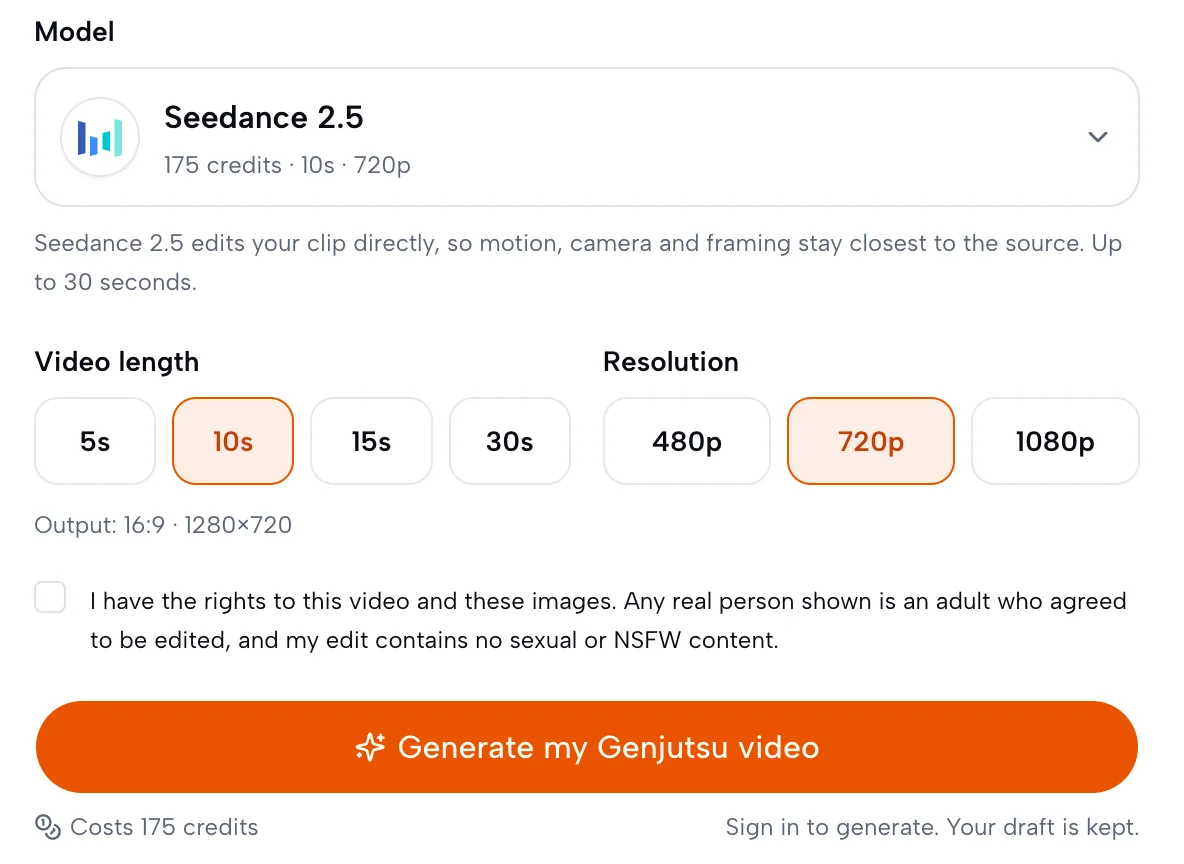
Before generating you confirm that you have the rights to the video and images, that any real person shown is an adult who agreed to the edit, and that the edit contains no sexual content.
Is there a free Higgsfield Genjutsu alternative? Credits and watermarks
Video editing models cost real money per second, so no honest Higgsfield Genjutsu alternative can promise unlimited free renders. Here is exactly what each edit costs on this site, from the same calculation the generator uses:
| Model · resolution | 5 s | 10 s | 15 s | 30 s |
|---|---|---|---|---|
| Seedance 2.5 480p | 39 | 78 | 117 | 233 |
| Seedance 2.5 720p | 88 | 175 | 262 | 523 |
| Seedance 2.5 1080p | 155 | 310 | 464 | 928 |
| Seedance 2.0 480p | 27 | 54 | 81 | — |
| Seedance 2.0 720p | 58 | 116 | 174 | — |
| Seedance 2.0 1080p | 146 | 291 | 436 | — |
| MiniMax H3 720p | 39 | 77 | 116 | — |
| MiniMax H3 1080p | 62 | 123 | 185 | — |
| Seedance 2.0 Fast 480p | 16 | 32 | 48 | — |
| Seedance 2.0 Fast 720p | 35 | 69 | 104 | — |
| Seedance 2.0 Mini 480p | 5 | 9 | 13 | — |
| Seedance 2.0 Mini 720p | 10 | 19 | 28 | — |
Credits come from any plan or credit pack and work across every tool on the site. Each video is charged once; if the generation fails or the provider rejects your material, the credits go back to your balance. If a new-account credit offer is running, the starting balance and the quote are shown in the generator, so you can see whether it covers a short edit before you start.
Watermark. Accounts without a paid order get a moving site watermark on results. The clean original is stored privately, and the same video downloads without the watermark after any purchase, including videos you made earlier. Logos already present in your source clip are not removed.
If you searched for a way to replace an object in a video with AI for free, the cheapest real test here is a 5-second section at 480p on Seedance 2.0 Mini; for edits closest to the source, try 5 seconds at 480p on Seedance 2.5.
What people make with a Higgsfield Genjutsu alternative
Replace a person in a video with AI, keep the dance
Choose Character, add clear images of the new character and say who they replace. The choreography, camera move and timing follow the source. This covers most "replace person from video AI" searches without a separate face-swap step, because the whole person changes, not only the face.
Swap a product in a video for ads and TikTok Shop
Choose Product and add the product on a plain background, ideally from more than one angle. Hands, camera path and timing are kept. Use your own footage or footage you are licensed to reuse; TikTok Shop and other platforms have their own rules about recreating another creator's video.
Change outfits or the location
Outfit keeps the person and swaps the clothes, which suits try-on style clips. Background keeps people and their actions and moves them somewhere new. Change one major element per run; changing several things at once is the most common cause of drift.
Restyle a clip into anime, 3D or clay
Choose Style and describe the look. The subjects, composition and performance are kept, and only the rendering changes.
Looking for a full Higgsfield alternative instead?
Searches for a "Higgsfield alternative", a "Higgsfield AI alternative" or a cheaper alternative to Higgsfield often mean something broader than one editing feature. Sort the options by the job:
- You need to change something inside footage you already have: a video-to-video editor such as this Higgsfield Genjutsu alternative, or character-replacement tools from other vendors.
- You want to make a new scene from scratch: a text-to-video or image-to-video generator is a better fit than any Genjutsu-style editor.
- You want one subscription for many image and video models: an all-in-one suite, Higgsfield included, may suit you better than a single-purpose tool.
Only have photos and no clip? Start from one of the built-in reference clips: on duo clips, Image 1 and Image 2 replace the two leads, so two photos are enough.
Limits you should know before you switch
- Results are generated, not pixel-identical. Fingers wrapped around a product, long hair in fast spins and small packaging text can change for a few frames.
- Proportions matter. A replacement with very different body proportions from the original performer drifts more.
- People in reference images are reviewed. For Character and Outfit edits on Seedance 2.5, reference images go through the provider's content review; a rejection ends the job and refunds the credits.
- MiniMax H3 and the Seedance 2.0 models are capped at 15 seconds. MiniMax H3 does not offer 480p; Seedance 2.0 Fast and Mini do not offer 1080p.
- No sexual content, minors or unauthorized likenesses. Only edit footage and faces you have the rights to use.
Higgsfield Genjutsu alternative FAQ
What is the best Higgsfield Genjutsu alternative?
It depends on the job. For changing one character, outfit, product, background or style in a clip you already have, while keeping the motion and timing, the Genjutsu AI editor on this site is a direct Higgsfield Genjutsu alternative with a named model and a per-video price. For brand-new scenes, a text-to-video generator fits better.
Is this the official Higgsfield Genjutsu?
No. It is an independent tool that is not affiliated with, endorsed by or operated by Higgsfield. It runs Seedance 2.5, Seedance 2.0 and MiniMax H3 through this site's own pipeline, with its own credits and limits.
Is Higgsfield Genjutsu just Seedance 2.5?
Higgsfield has not publicly named the model behind Genjutsu, and Reddit discussions are guesses. What we can say is what this alternative uses: Seedance 2.5 in edit mode, or Seedance 2.0 and MiniMax H3 with your clip as a motion reference. You choose the model on every edit.
Can I edit a video longer than 30 seconds?
You can upload a clip of up to 5 minutes, but each edit covers one 5, 10, 15 or 30-second window that you choose. For a longer result, edit consecutive windows separately.
How many reference images can I add?
Up to nine per edit. Refer to them as Image 1, Image 2 and so on in your instruction. Style edits can work without images.
Why does the face or a product drift during motion?
Drift usually comes from fast motion, hands covering the subject, references that conflict, or changing too many things in one run. Use clear references, change one element at a time and choose Seedance 2.5 when you need the closest match to the source.
Is there a free Higgsfield Genjutsu alternative with no limits?
No real video model runs without cost, so be careful with "unlimited" claims. Here every edit has a fixed credit price shown in advance, failed jobs are refunded, and results from accounts without a paid order carry a moving watermark until any purchase.
Can I use the results commercially?
You can publish edits of footage and likenesses you have the rights to use. You are responsible for the source clip, the reference images and any platform rules about reusing other creators' content.
Try the Higgsfield Genjutsu alternative
Pick a built-in clip or upload your own, choose what to change and see the exact credit cost before you generate.