Restyle the footage, keep the performance

Video to Anime with Genjutsu AI

To turn a normal video into anime without re-animating it, choose Style, describe the look (for example "1990s hand-drawn anime") and generate: the subjects, composition, performance and timing are kept and only the rendering changes. No reference image is required, and the source audio is restored. Genjutsu AI is an independent Genjutsu-style editor, not Higgsfield.

  • Words-only prompts work
  • Anime, 3D, clay and more
  • Performance and timing kept
  • Source audio kept
What do you want to change?

Redraw the whole clip as anime, 3D, clay or any look you describe. Images are optional.

Reference imagesOptional for a style change

Up to 9. In your instruction, call them Image 1, Image 2 and so on. JPG, PNG or WebP · up to 10 MB · 300–6000 px per side.

0/800

Seedance 2.5 edits your clip directly, so motion, camera and framing stay closest to the source. Up to 30 seconds.

视频时长
分辨率

Output: 9:16 · 720×1280

消耗 175 积分

Your uploads are not published. They are shared with the video provider for checks and generation. Privacy policy

Clip start time00:00 – 00:10
00:0000:27

Motion-transfer reference footage, not results from this tool. Pick a window, add your photos and change what you like.

Restyle vs text-to-video vs face swap

Genjutsu restyleText or image to videoFace swap
Starts from your clipYesNoYes
Keeps the original motion and cameraYesNo, generates new motionYes
Changes the whole lookYesYesNo, face only

Style prompt library

Paste one into the instruction box with Style selected. No image is needed.

90s cel anime
Restyle the whole clip as 1990s hand-drawn cel anime: flat colours, thick ink outlines, soft painted backgrounds.
Modern anime film
Restyle as a modern anime feature film: clean line art, soft gradients, glowing light and detailed backgrounds.
3D animated feature
Restyle as a 3D animated feature: rounded stylised characters, soft global illumination, rich colours.
Claymation
Restyle as stop-motion claymation: handmade clay figures, visible fingerprints, miniature set lighting.
Pixel art
Restyle as 16-bit pixel art with a limited palette and crisp pixels; keep the camera framing.
Watercolour
Restyle as a loose watercolour painting with soft edges, paper texture and pastel washes.
Comic book
Restyle as a comic book: bold ink lines, halftone shading and saturated flat colours.
Noir film
Restyle as a black-and-white 1940s film noir: hard shadows, high contrast and film grain.

What stays and what changes

StaysChanges
Subjects and their positionsLine work and shading
Composition and camera movementColour palette and lighting style
Performance and timingTextures and materials
The selected section's audioHow faces are drawn (likeness becomes approximate)

Matching a specific look

To match a particular style, add one to three frames of it as images and write "Match the style of Image 1 across every frame." Style images are sent as plain references, without the face review used for photos of people. Use footage and images you have the rights to use.

Real person to anime character, or restyle?

  • Style mode keeps the same people and redraws everything in a new look.
  • Character mode replaces the person with a specific anime or 3D character from your image while the rest of the shot stays realistic. See motion transfer.

Built-in clips to restyle
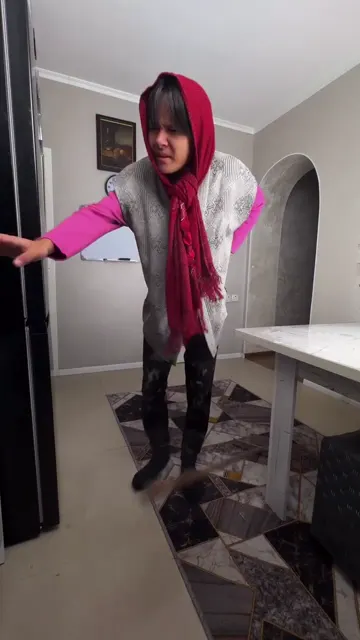
Jar portal
Jar portal27.6 秒 · 9:16 · 1 位主角
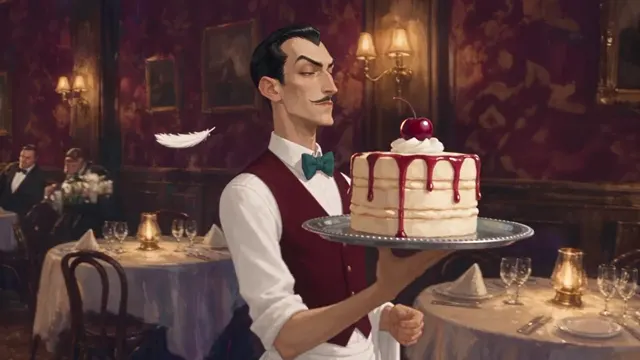
Anime waiter
Anime waiter8 秒 · 16:9 · 1 位主角
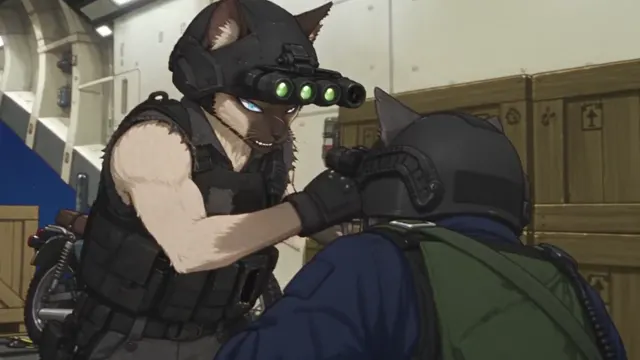
Anime cat commando
Anime cat commando10 秒 · 16:9 · 2 位主角
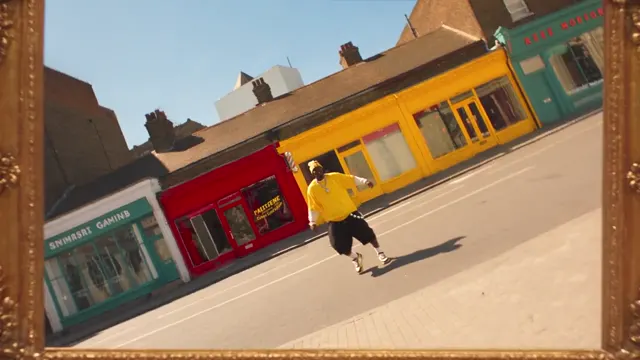
Infinite zoom
Infinite zoom10 秒 · 16:9 · 2 位主角

Credits for a restyle

Model · resolution5 秒10 秒15 秒30 秒
Seedance 2.5 · 720p88175262523
Seedance 2.5 · 1080p155310464928
Seedance 2.0 · 720p58116174—
Seedance 2.0 · 1080p146291436—
MiniMax H3 · 720p3977116—
MiniMax H3 · 1080p62123185—
Seedance 2.0 Fast · 720p3569104—
Seedance 2.0 Mini · 720p101928—

The quote is shown before you generate; failed jobs refund. More wording tips are on the prompt guide.

最近更新: 2026-10-06

Video to anime questions

Can I turn a normal video into anime without re-animating it?

Yes. Choose Style and describe the look. The edit keeps the same subjects, composition, performance and timing and changes only the rendering, so you do not animate anything by hand or generate a new scene from text.

Do I need a reference image for an anime restyle?

No. Style is the one change that works with words alone. Add one to three example frames only when you want to match a specific look.

Will the people still look like themselves?

They stay recognisable in pose, hair, clothing and framing, but faces are redrawn in the new style, so likeness is approximate. If you want a specific anime character to replace the person, use Character mode with that character’s image instead.

Can I make it 3D or clay instead of anime?

Yes. Describe any look: 3D animated feature, claymation, pixel art, watercolour, comic book, noir film. Copyable style prompts are listed on this page.

Can I turn my cat or dog video into a cartoon?

Yes. Upload the clip, choose Style and describe the cartoon look; the pet keeps its movement and only the rendering changes.

Which model is best for anime?

Seedance 2.5 keeps motion and framing closest and supports up to 30 seconds (175 credits for 10 seconds at 720p). Seedance 2.0 Mini and Fast are fine for style drafts (19 and 69 credits for 10 seconds at 720p).

Keep the take. Change the world in it.

Pick a clip, add your references and see the edit in a few minutes. The quote is shown before you generate.

Open the Genjutsu AI editor